Plans
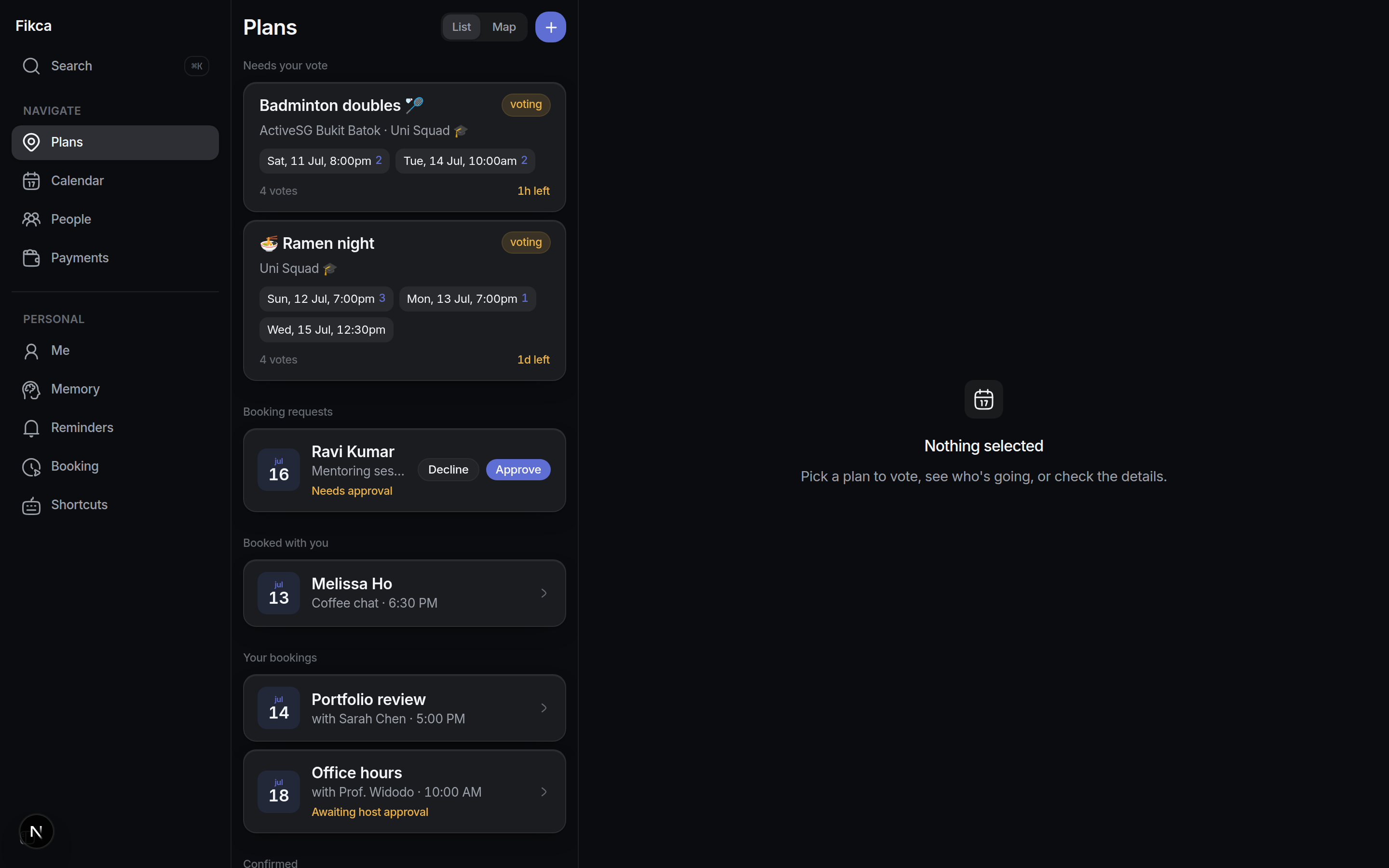
Plans and polls, born in the chat
Say "dinner friday or sat?" and Fikca drafts the plan, opens the date poll with a deadline, and runs it. The group never leaves Telegram.
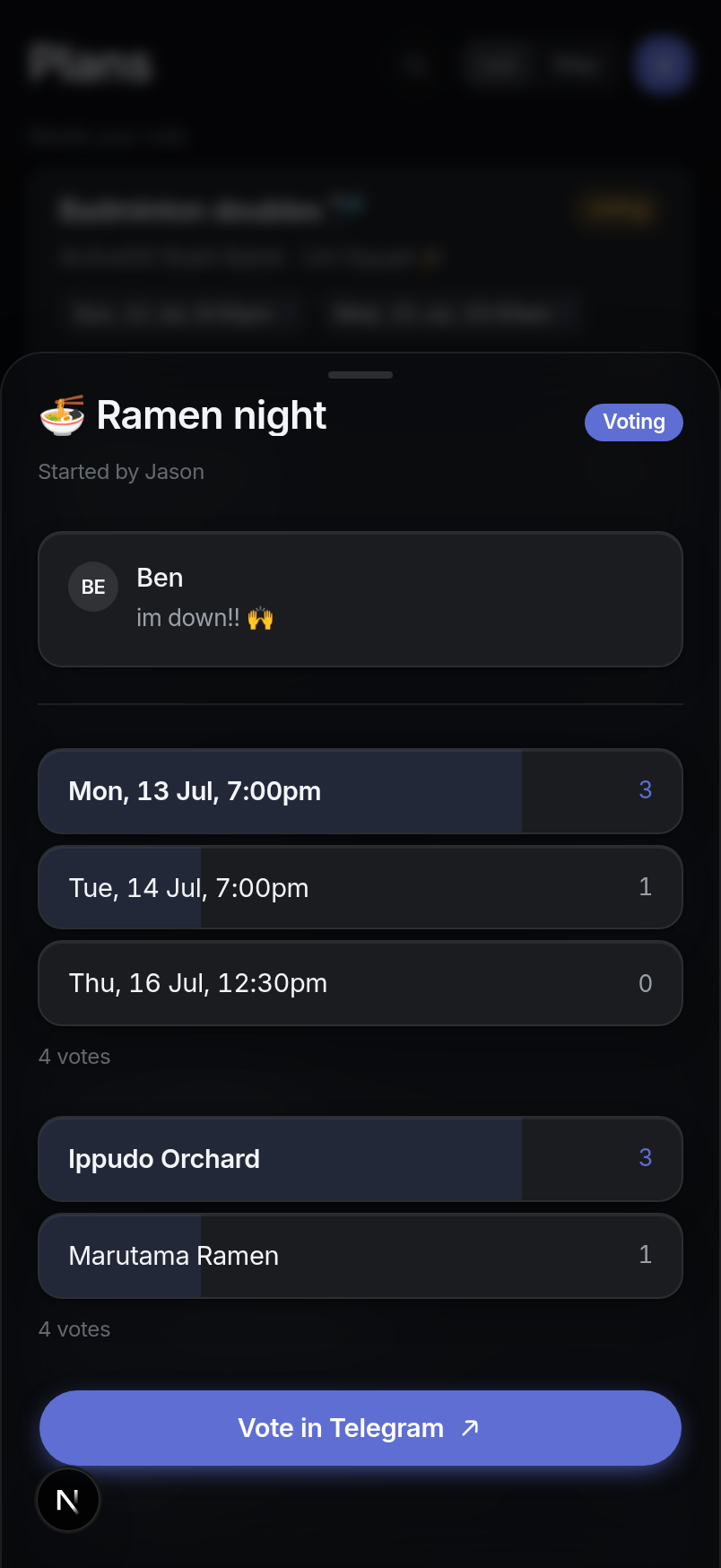
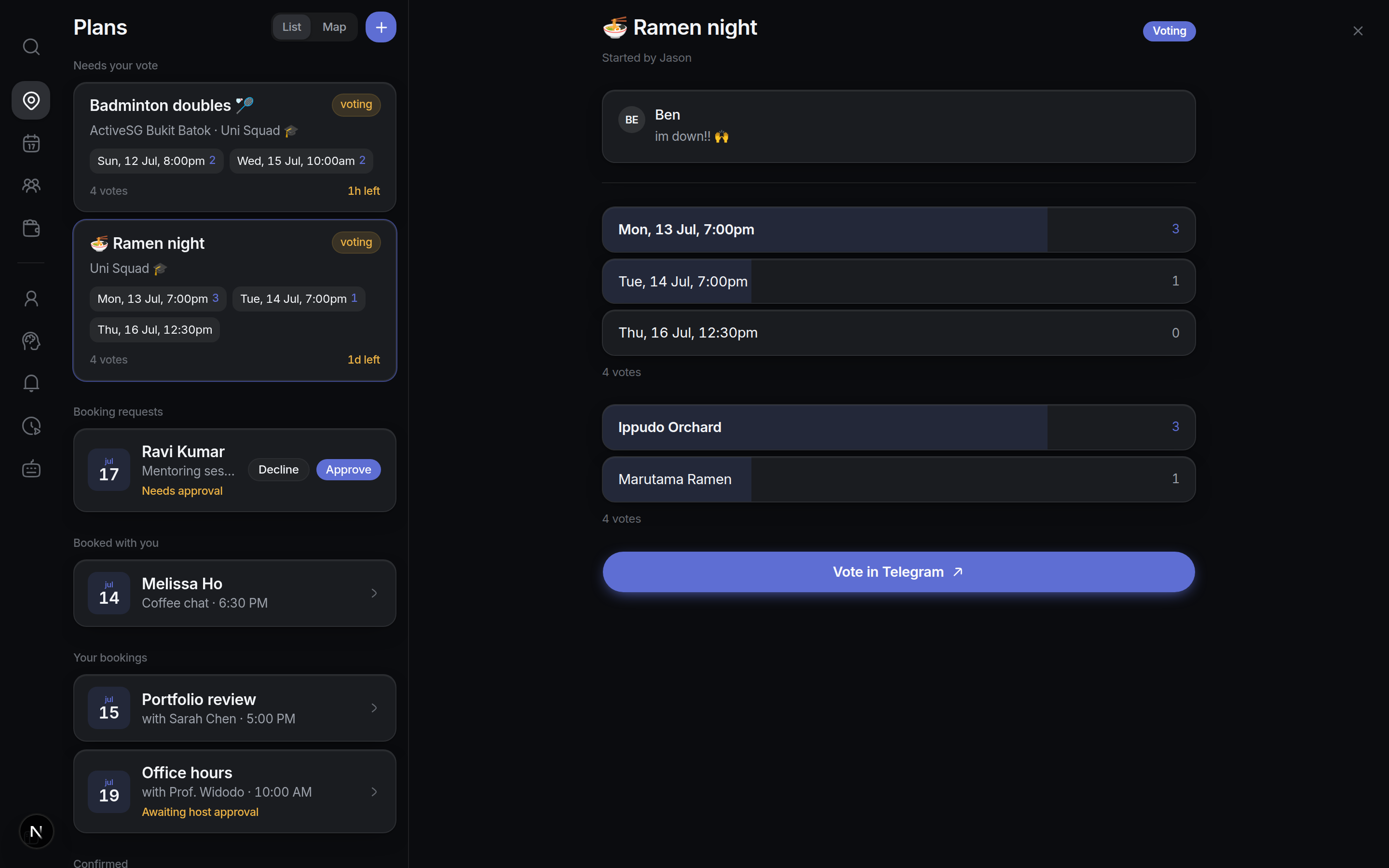
Polls close themselves. Votes are tallied in-chat, stragglers get one nudge at the midpoint, and the winner is announced at the deadline. No chasing.
Ask exactly the right people. Mention groups tag the climb crew or the Friday-dinner circle without pinging the whole chat; guests outside the group join with a link.
A map of everything. Plans with a place land on one map, so "where was that ramen spot again?" has an answer.
Day-before reminders. Confirmed plans remind everyone the day before, automatically.
Calendar
Calendar-aware from the first option
Connect Google Calendar once and Fikca stops proposing times people can't make, then writes the confirmed plan back to everyone's calendar.
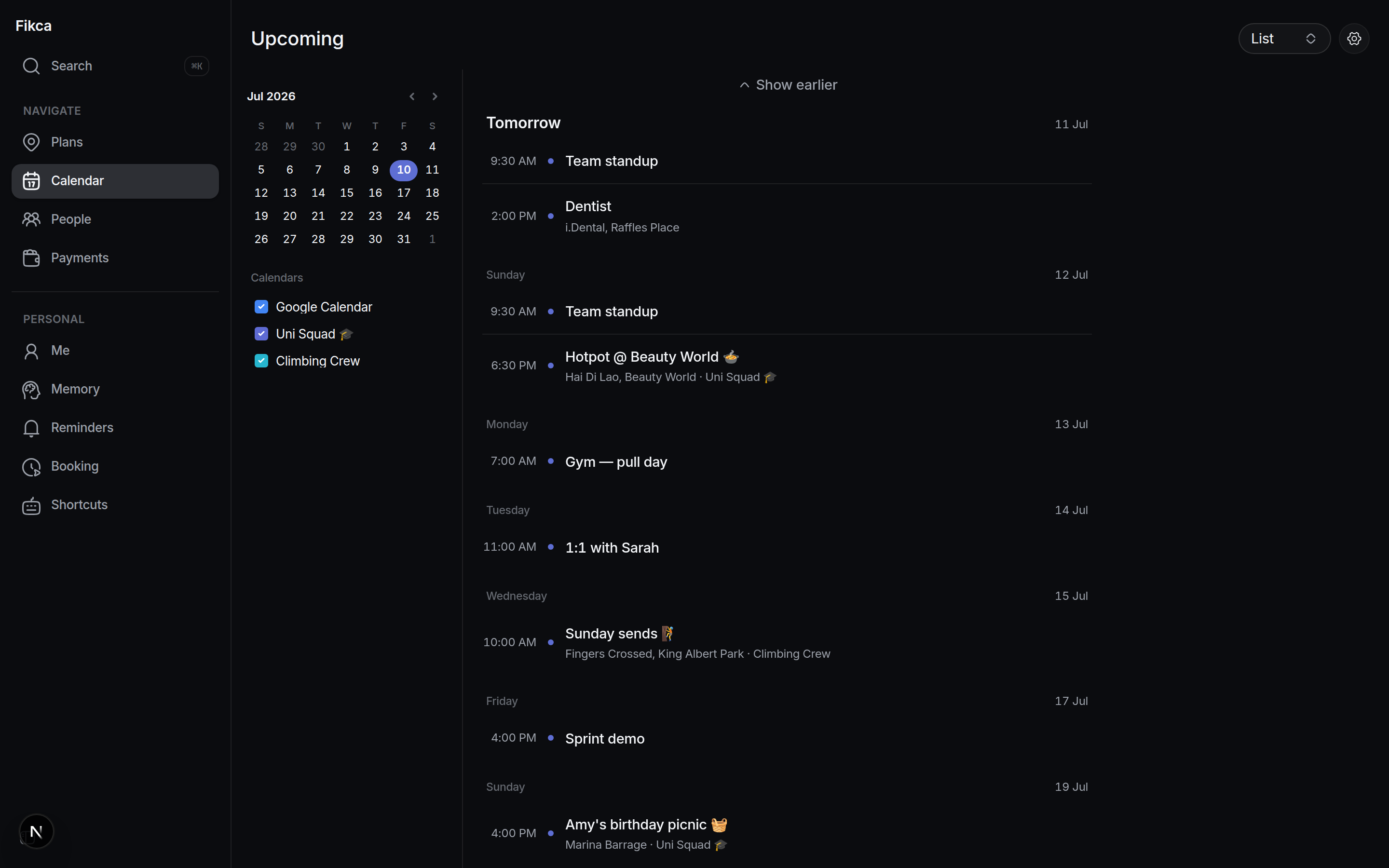
Options ranked by availability. Date suggestions come from when the group is actually free, not a guess.
Two-way sync. Confirmed plans appear in Google Calendar with the details filled in; your busy times inform the next poll.
One calendar for your social life. Week and month views across every chat you plan in, not per group.
Payments
Splits that settle themselves
After the dinner: "fikca split $86 five ways". Fikca tracks every share per person and per plan, and turns paying you back into one scan.
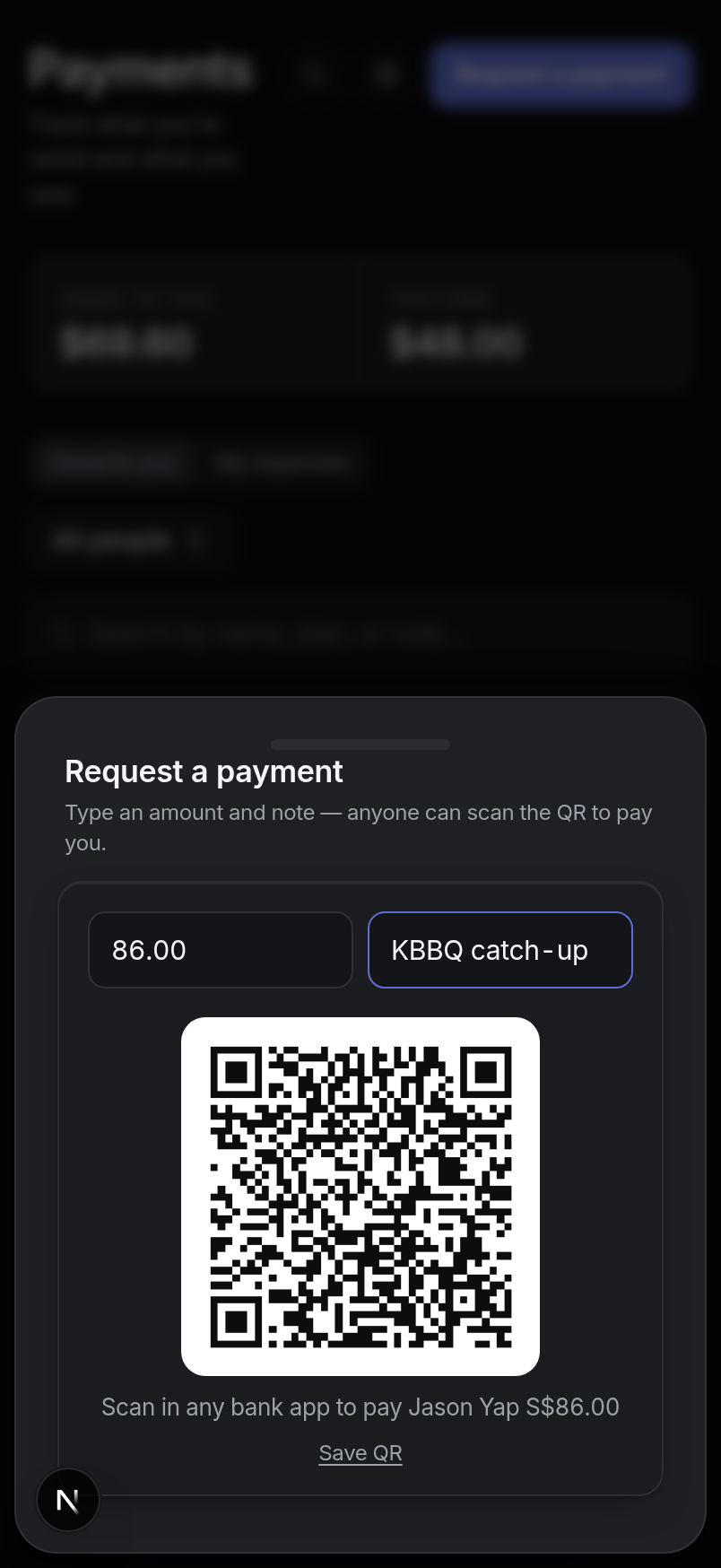
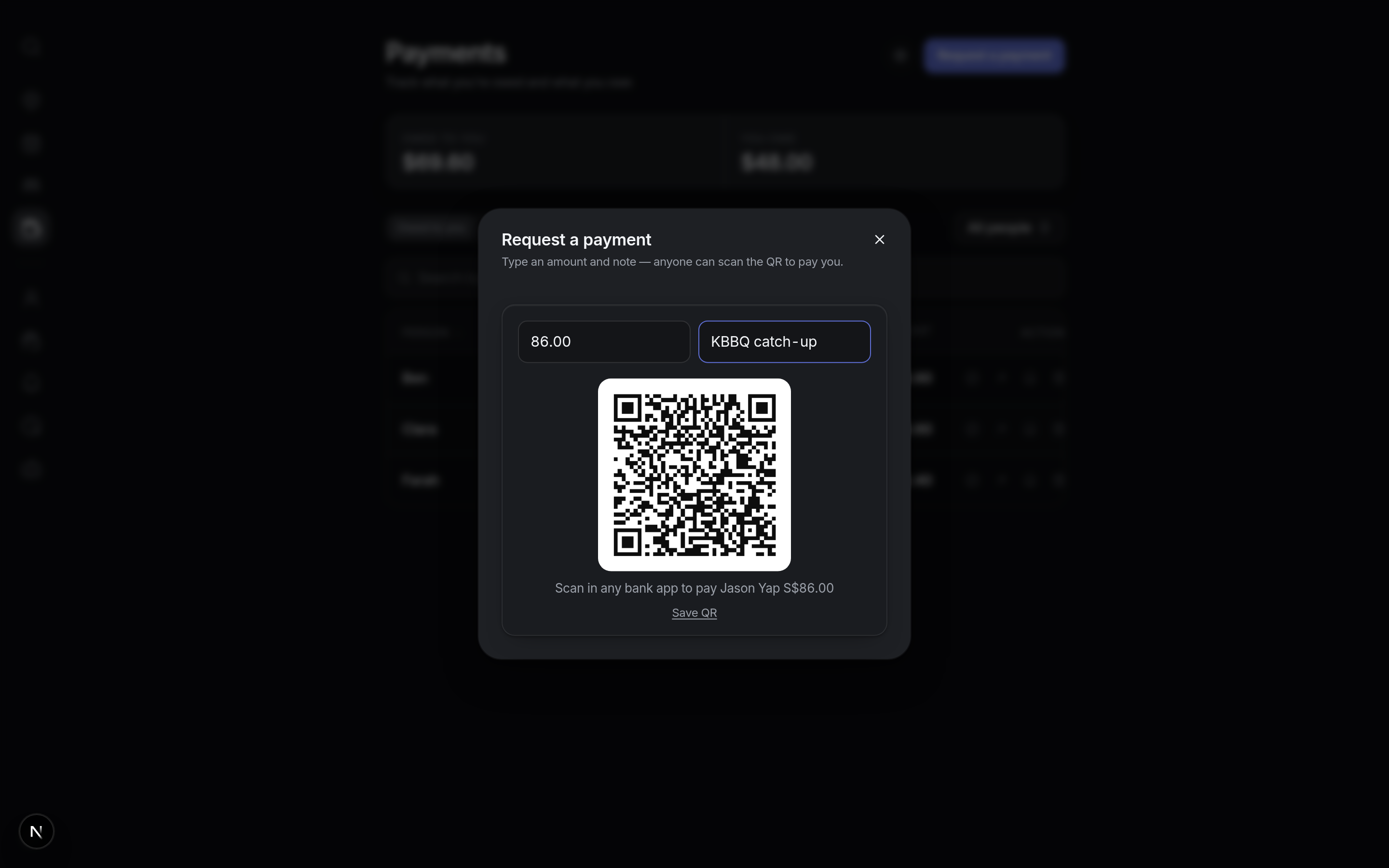
PayNow QR codes, generated. Save your PayNow ID once; every payment request renders a QR anyone can scan. Fikca never touches the money.
Who owes what, always current. Owed-to-you and you-owe in one view, filterable by person and by period, with per-plan notes.
Gentle chasing built in. Send a reminder from the table when a split has gone quiet. One tap, no awkward texts.
Booking
A booking page, built in
Every user gets a personal Calendly-style page at /book/your-name. Share the link; people grab a time that fits both calendars.
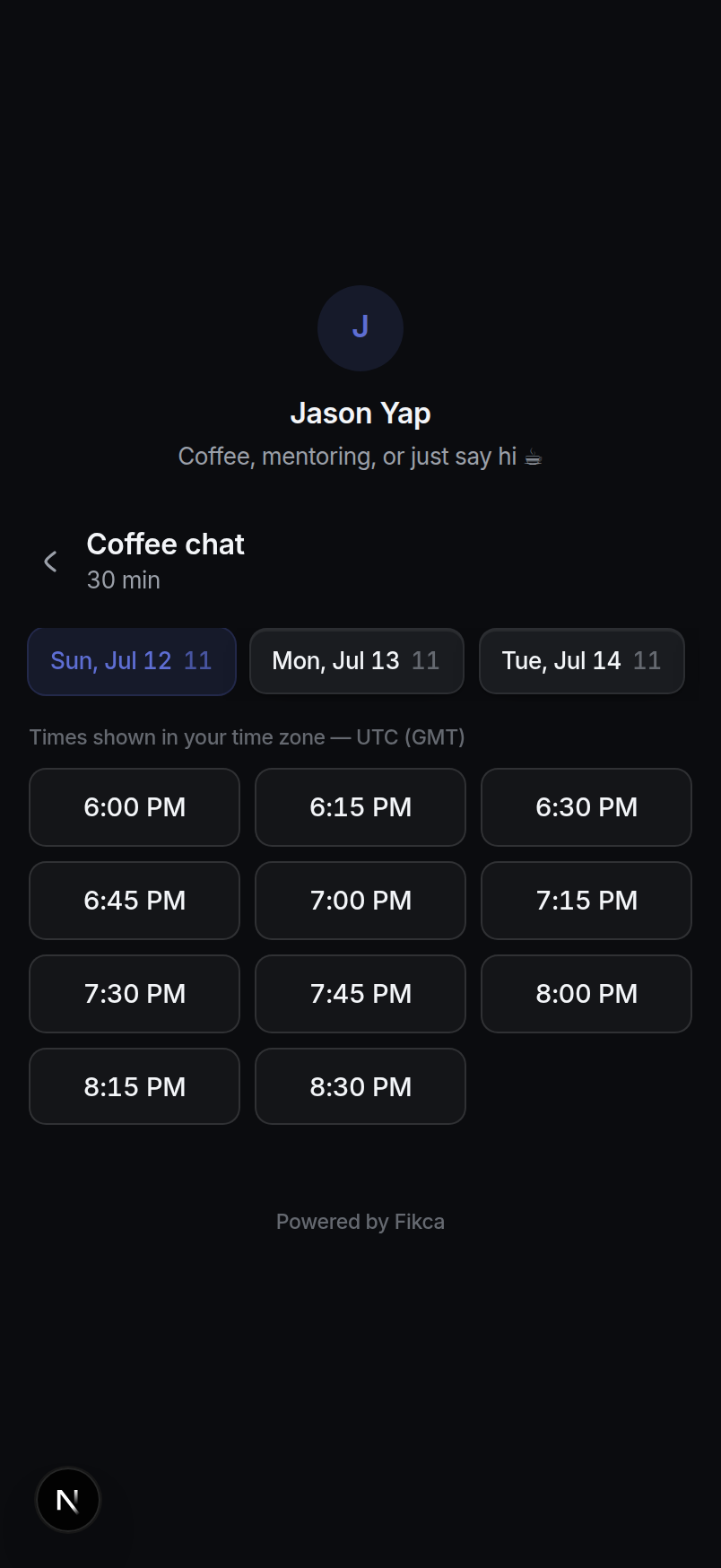
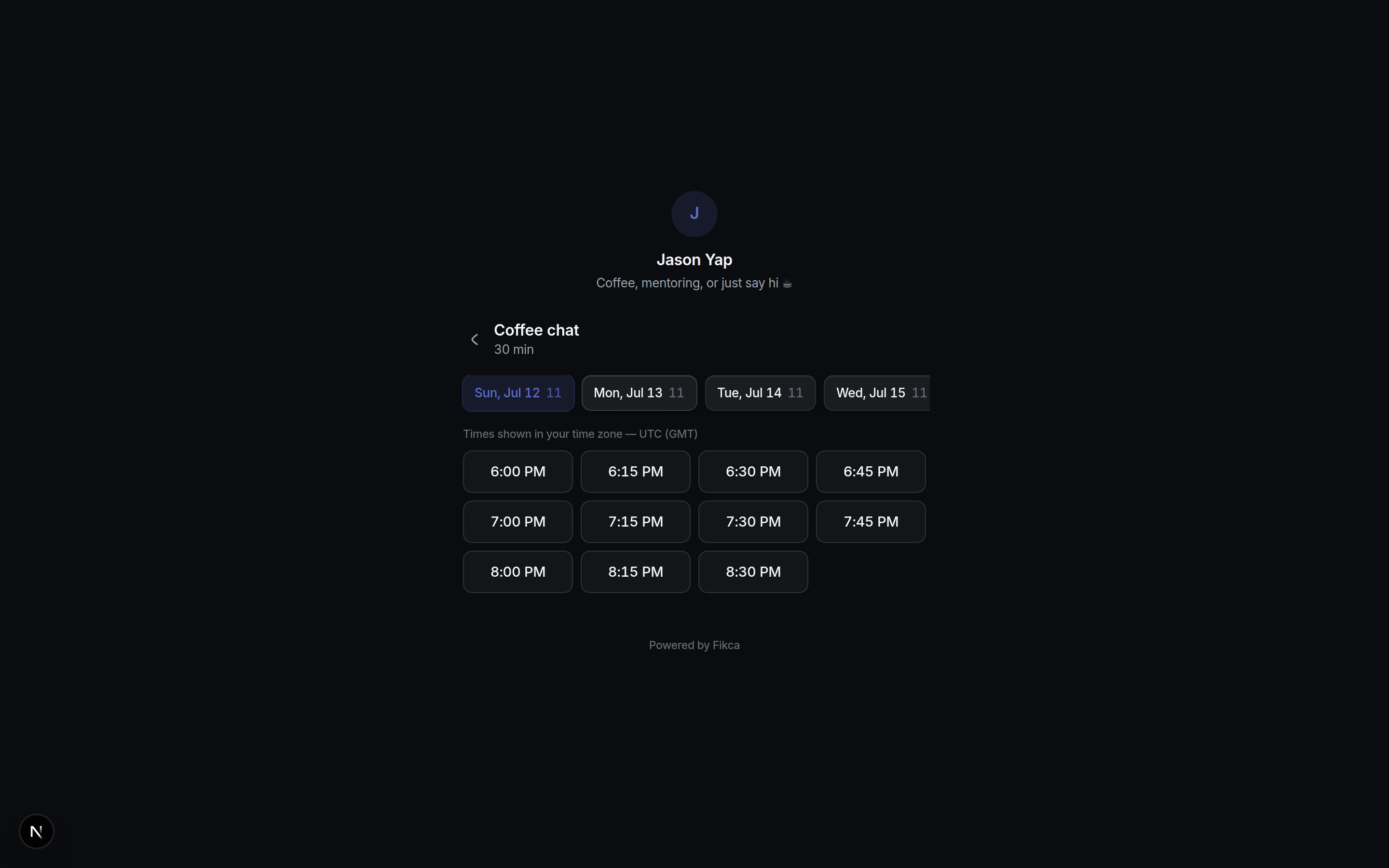
Your rules. Event types with their own durations, slot intervals, daily caps and notice periods.
Approvals where you are. Accept or decline from the Telegram DM or the web app. Same decision, either surface.
Works for anyone. The booking page is a plain public web page. Guests don't need Telegram or an account.
Concierge
Reminders, digest and nudges
"Remind me to book the court on friday" is a fully-formed reminder. Fikca also checks in on its own: a weekly digest, and a ping when a friendship goes quiet.
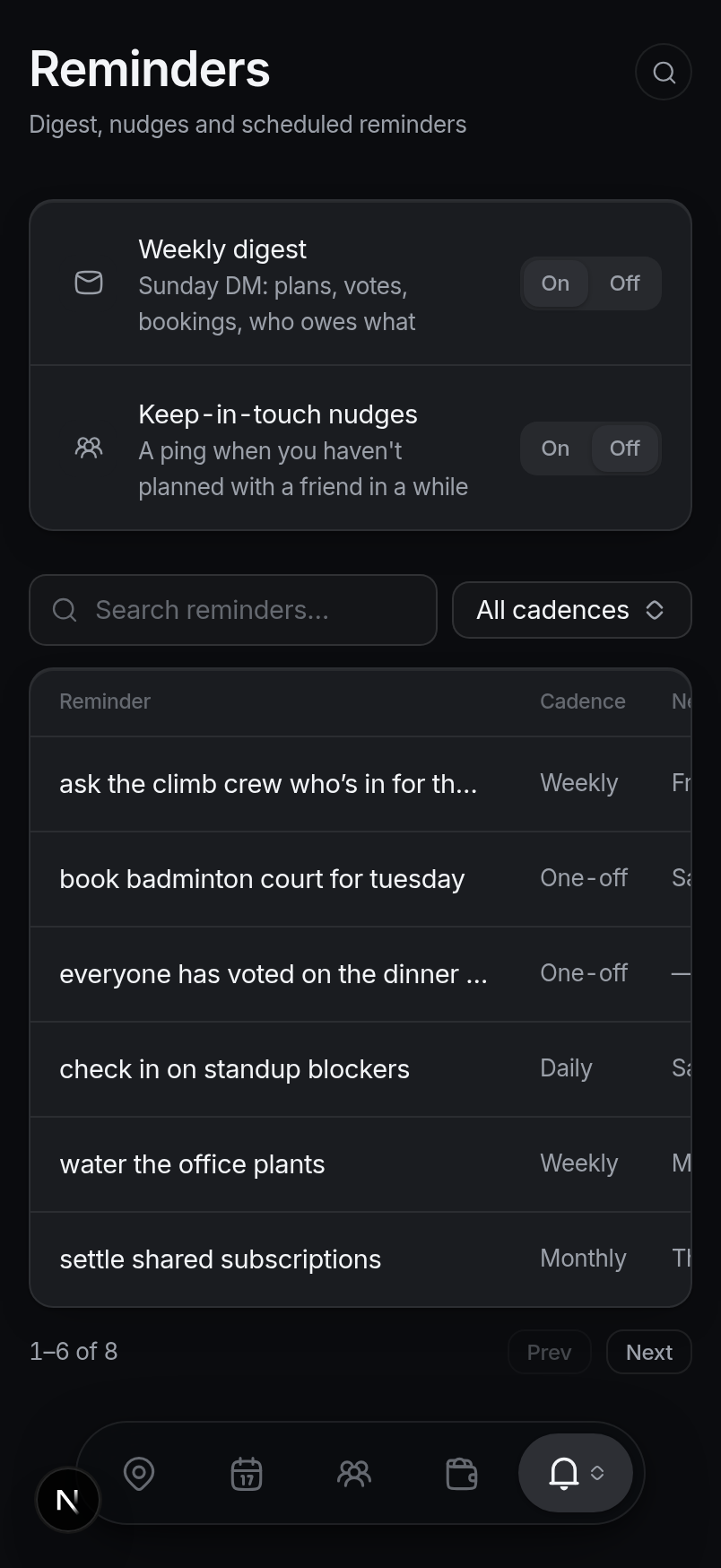
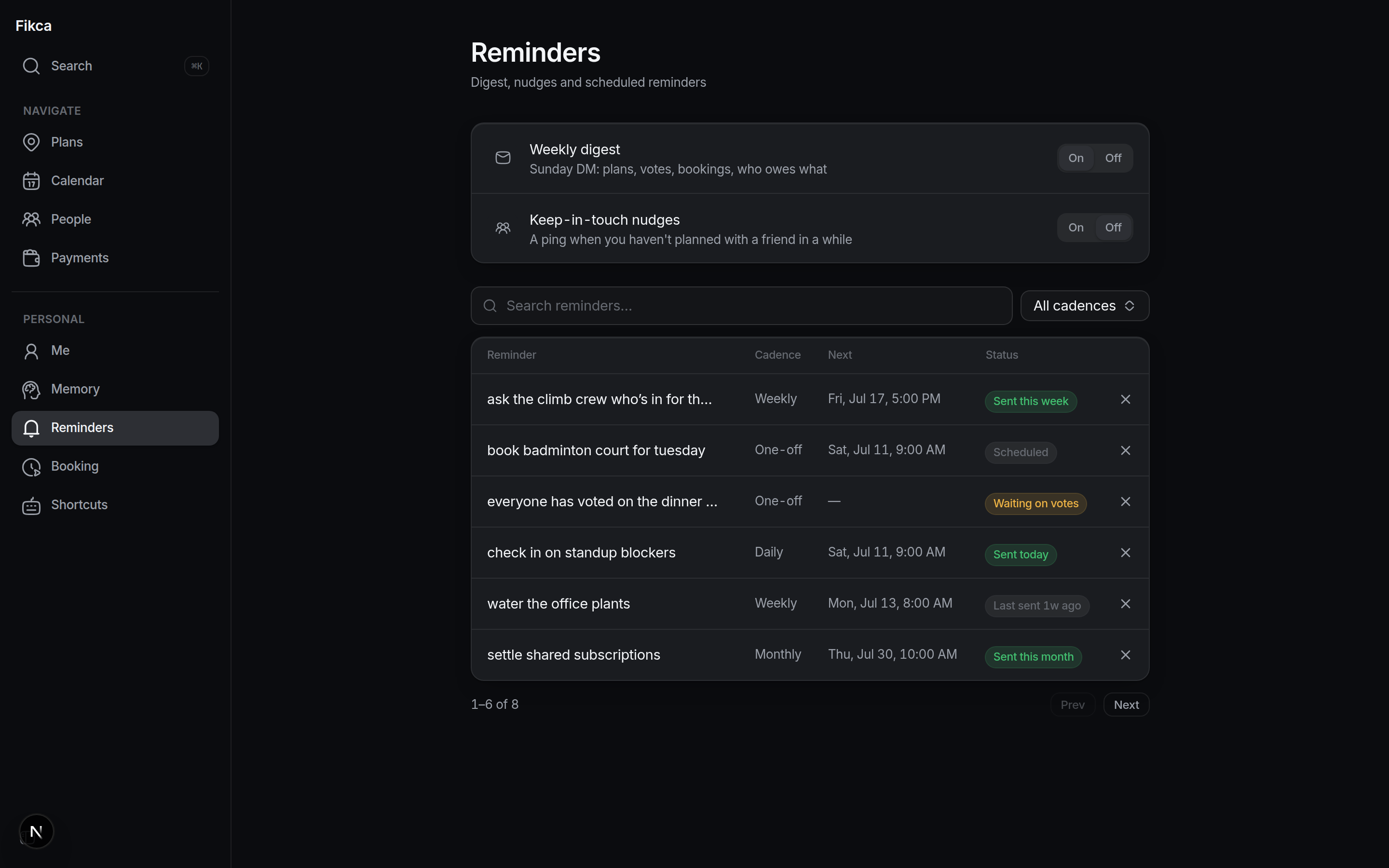
Reminders in plain language. One-off, daily, weekly, monthly or full cron, with snooze buttons when they fire, and a table showing what has already been sent.
The Sunday digest. One DM with your week: confirmed plans, polls waiting on your vote, bookings on both sides, unsettled splits. Quiet weeks send nothing.
Keep-in-touch nudges. When you haven't planned anything with a regular friend for six weeks (or however long you set), Fikca suggests a day you're both free.
"Everyone has voted." Condition-based follow-ups fire the moment your poll completes, not on a timer.
Speed
Keyboard-first, like a power tool
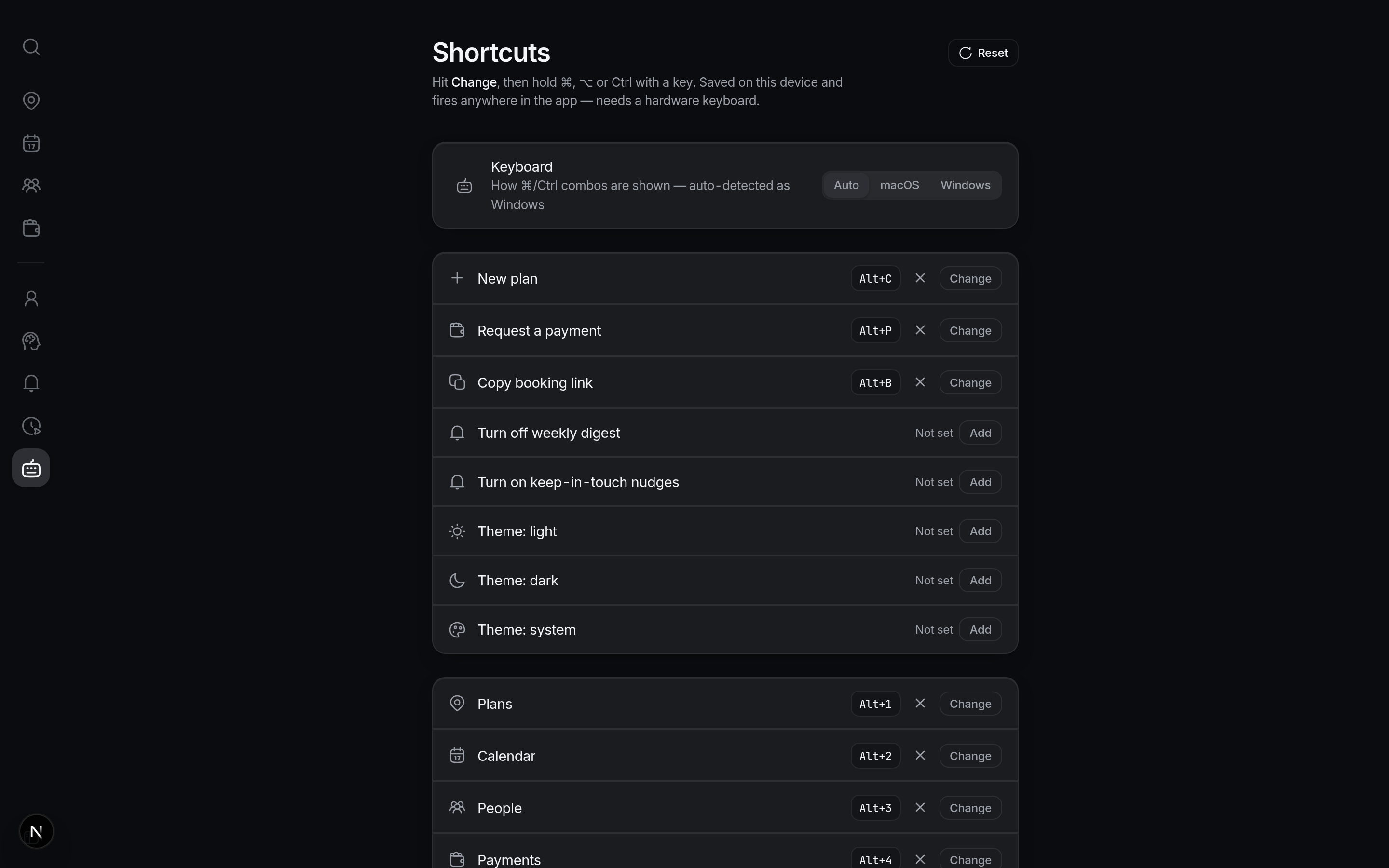
The web app is command central. One box searches everything; your most-used actions live on your own keys.
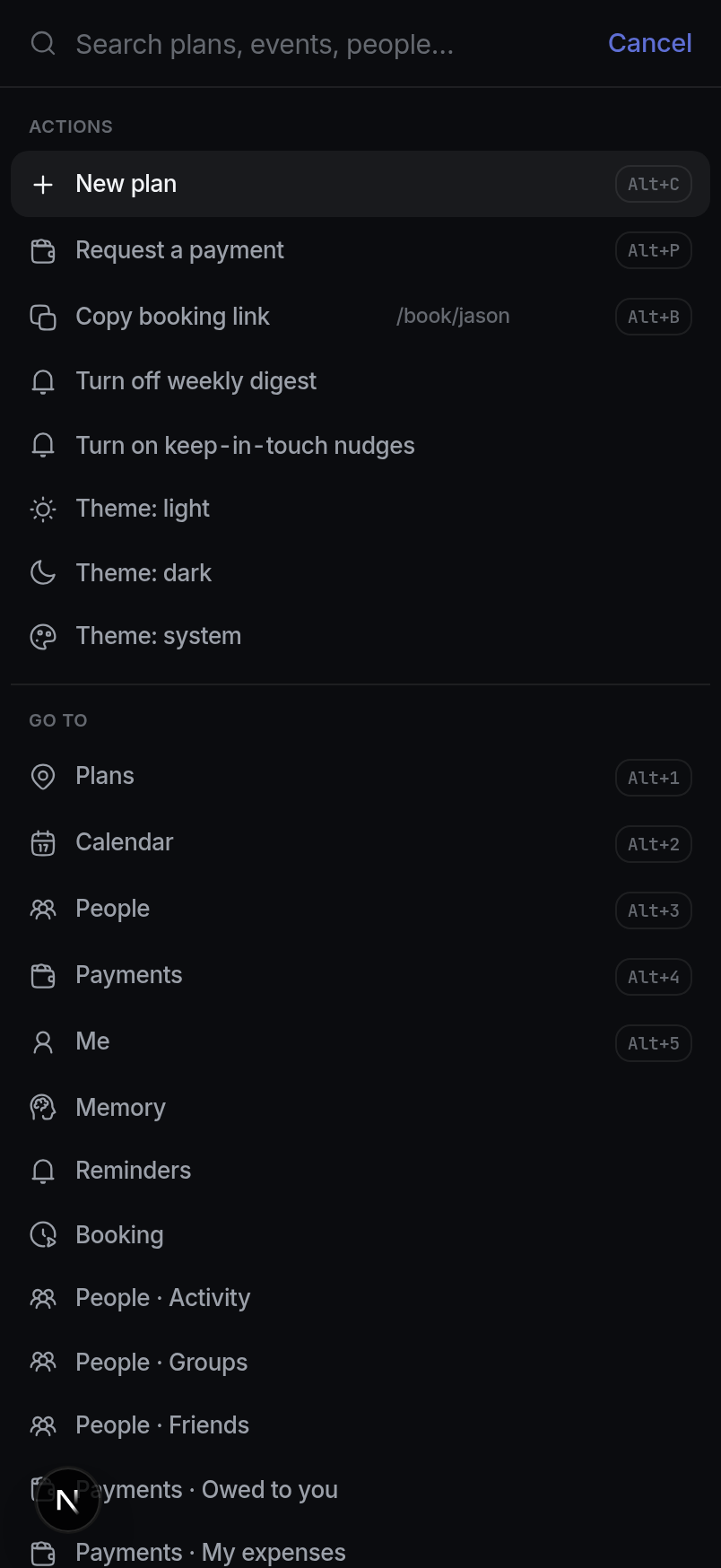
⌘K, everywhere. Search plans, calendar events, group chats and friends from one palette; every destination and action is a keystroke away.
Shortcuts you assign. Bind any common action to your own combo, with macOS and Windows key styles and sane Alt-based defaults.
Fast on purpose. A flat, token-driven UI that behaves the same on desktop, mobile web and inside Telegram.