Step 01 · Setup
Add the bot to your group
Fikca joins the Telegram chat where plans already start. Nobody installs an app, nobody makes an account. The group keeps talking exactly as before.
Quiet by design. An intent gate decides whether a message is actually about planning before the bot ever replies. Small talk passes through untouched.
Summon it when you want it. @-mention the bot or start a message with "fikca" to address it directly: for a split, a reminder, or a question about the plan.
One bot, many circles. Add it to the dinner chat, the climbing chat and the family chat; each group keeps its own plans, polls and tabs.
Step 02 · The idea
Say the idea. That's the whole job.
"dinner friday or sat?" is enough. Fikca drafts the plan, proposes date options ranked by group availability when calendars are connected, and opens the vote with a deadline.
Options, not open questions. Instead of "when works?", the group gets concrete dates to tap, the format that actually converges.
Calendar-ranked suggestions. With Google Calendar connected, the proposed dates are the ones most of the group is free on, not a guess.
Places too. Name a venue and Fikca attaches the real place, address and map pin, to the plan.
Step 03 · The vote
Votes close themselves
Friends tap to vote in-chat. Fikca nudges the stragglers at the midpoint, closes the poll at the deadline, announces the winner and puts it on everyone's calendar.
One nudge, not ten. Stragglers get a single reminder halfway to the deadline: enough to move the vote, not enough to be the annoying one.
A real deadline. The poll closes on time whether or not everyone voted, so the plan can't stall in limbo.
Calendar invites, sent. The winning date lands in connected Google Calendars with the place and people filled in, plus a day-before reminder in the chat.
Step 04 · Afterwards
Settle the bill in one message
After the dinner: "fikca split $86 five ways". Every share is tracked per person and per plan, and a PayNow QR goes to the group so paying you back is one scan.
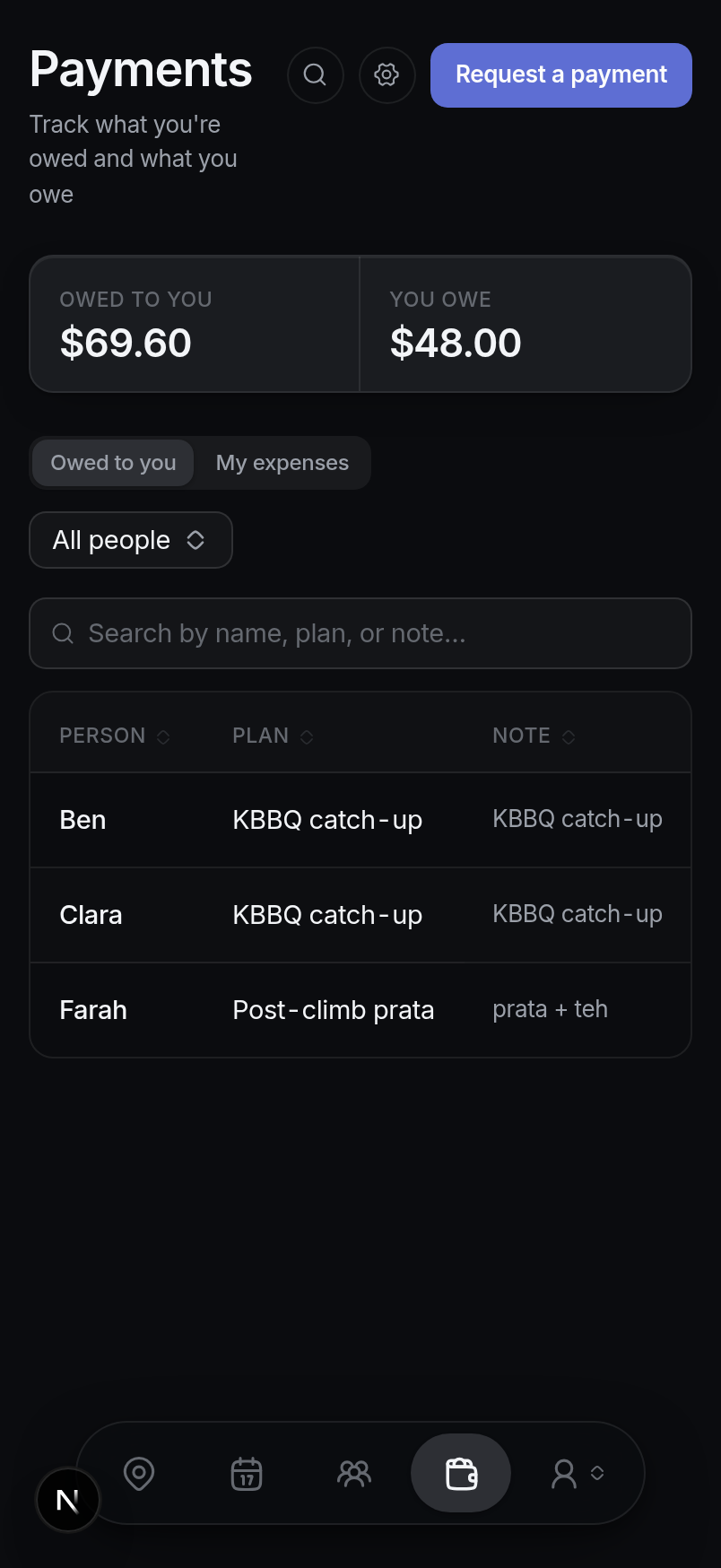
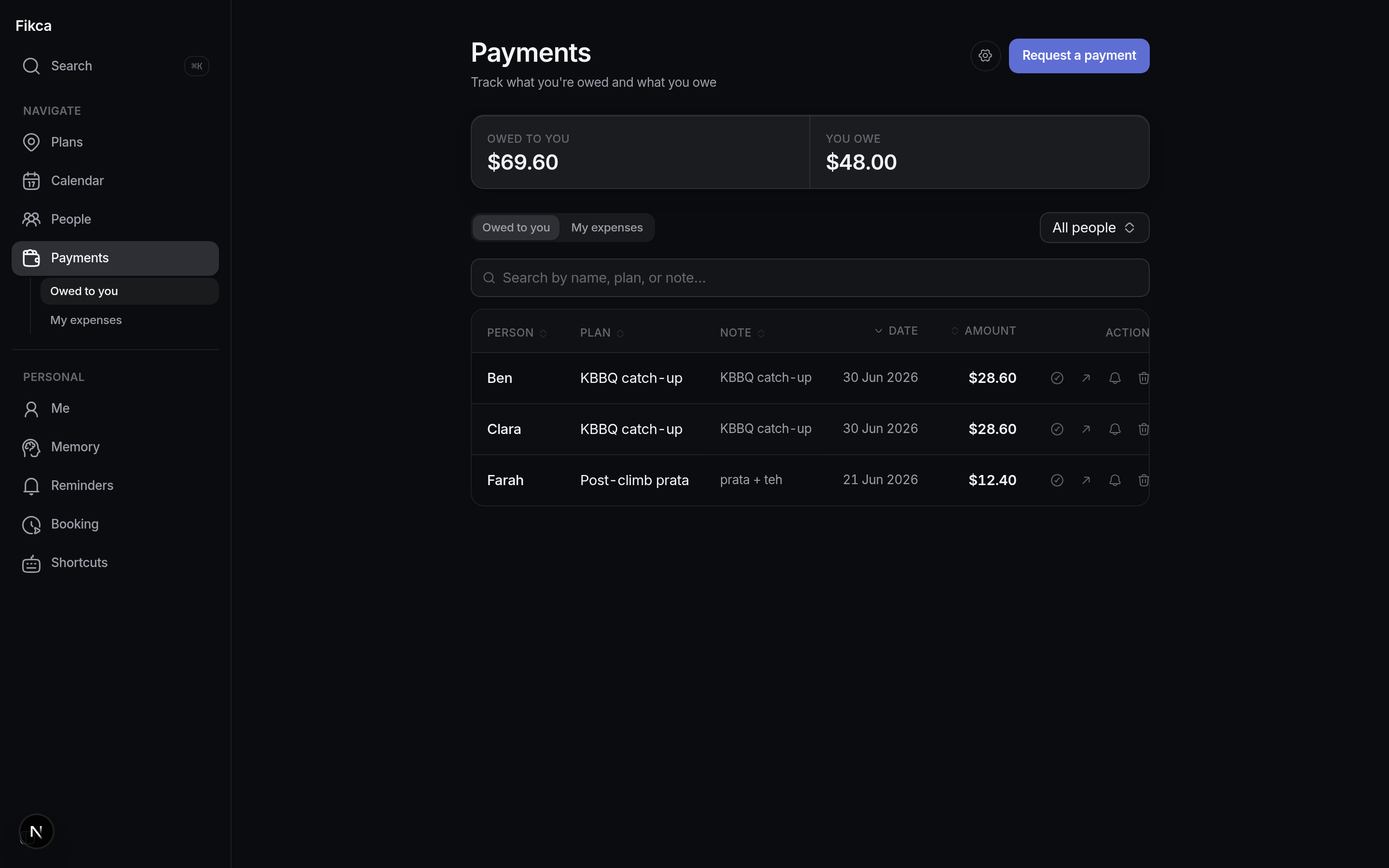
Uneven splits welcome. Split evenly, by exact amounts, or leave someone out. Say it in plain language and the shares come out right.
Fikca never holds money. Payments are person-to-person over PayNow; the bot only does the math and renders the QR.
The tab remembers. Unsettled shares stay visible per plan and per person until they clear, and you can send a gentle reminder from the table.
Step 05 · The app
See everything in one app
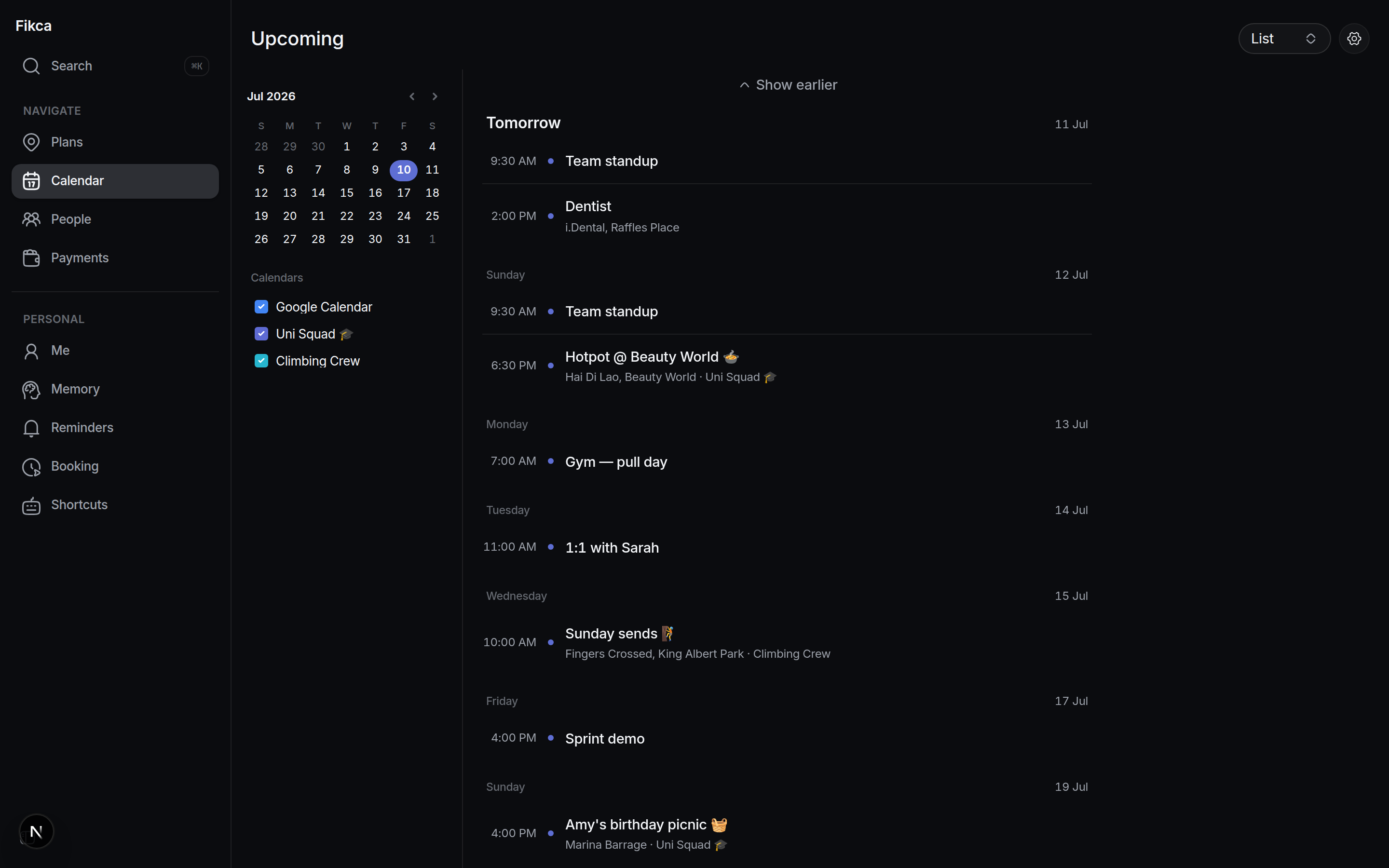
Log in with Telegram and the web app mirrors it all: plans, calendar, people, payments, bookings, reminders, on desktop, mobile web, or inside Telegram itself.
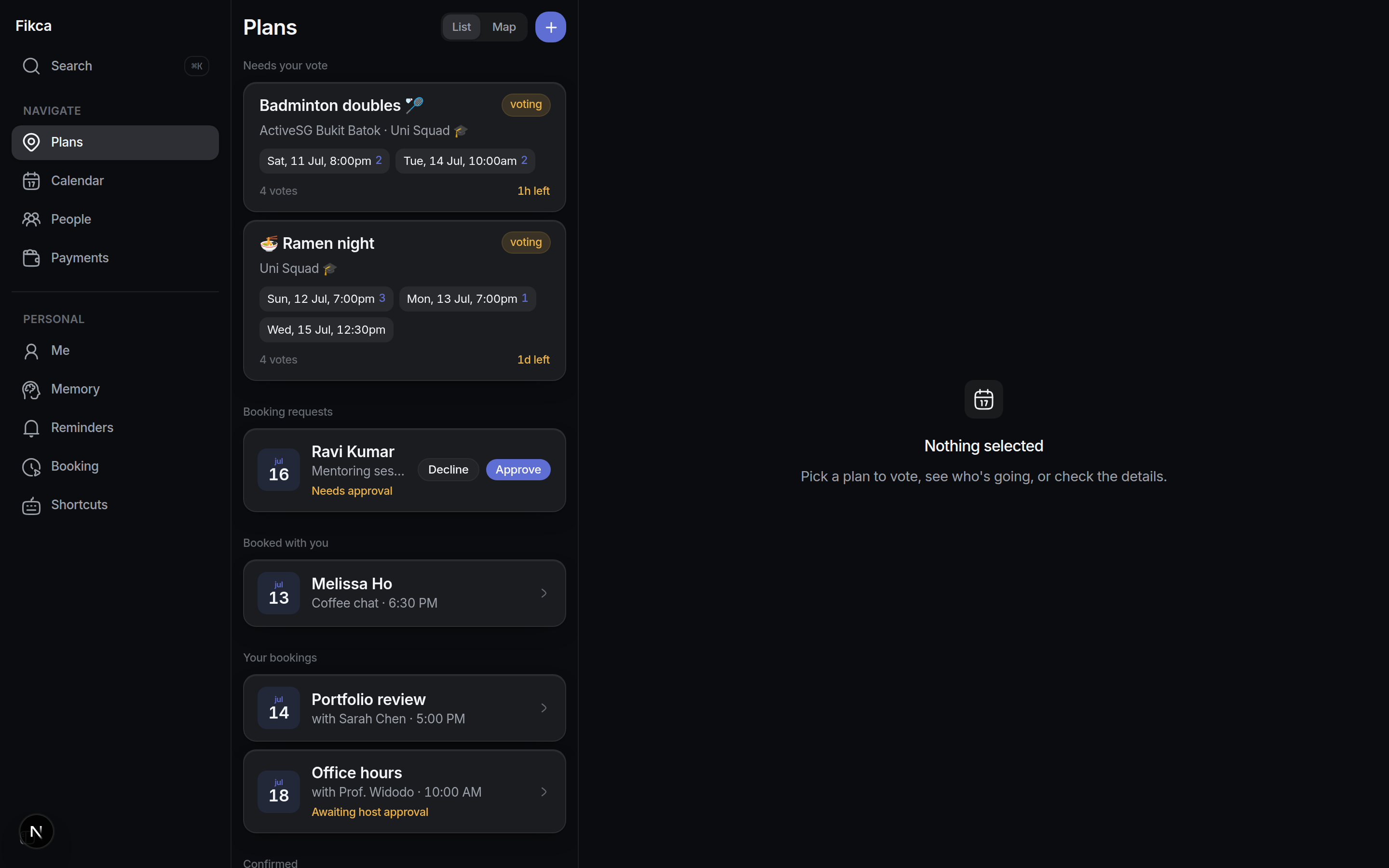
Same truth, second surface. Everything the bot does in the chat is queryable in the app; anything you change in the app shows up in the chat.
⌘K to anywhere. One palette searches plans, calendar events, group chats and friends, with your own keyboard shortcuts on top.
No second login. Open it as a Telegram Mini App with zero setup, or in any browser via the Telegram Login Widget.